Digital Delight blog
Wi-Fi 7, Matter and Thread: What Houston Homeowners Need to Know About Their Home Network
Wi-Fi 7 is a great fit for a larger, busy Houston home, and it shines when the network behind it is designed well. The newest eero systems do their best work when the access points are connected by wire and placed by someone who has walked your house. Matter and Thread, the newer smart-home standards, love that same strong foundation. Buying a faster router is the easy part. Designing the network is what makes everything feel fast.
Picture this. It's a Friday evening in Houston. Somebody's on a video call in the home office, the kids are streaming in the game room, music is playing out by the pool, and the game is on in the living room. Every room has a great signal, and nobody has to think about the Wi-Fi once. That's the kind of home we love to design.
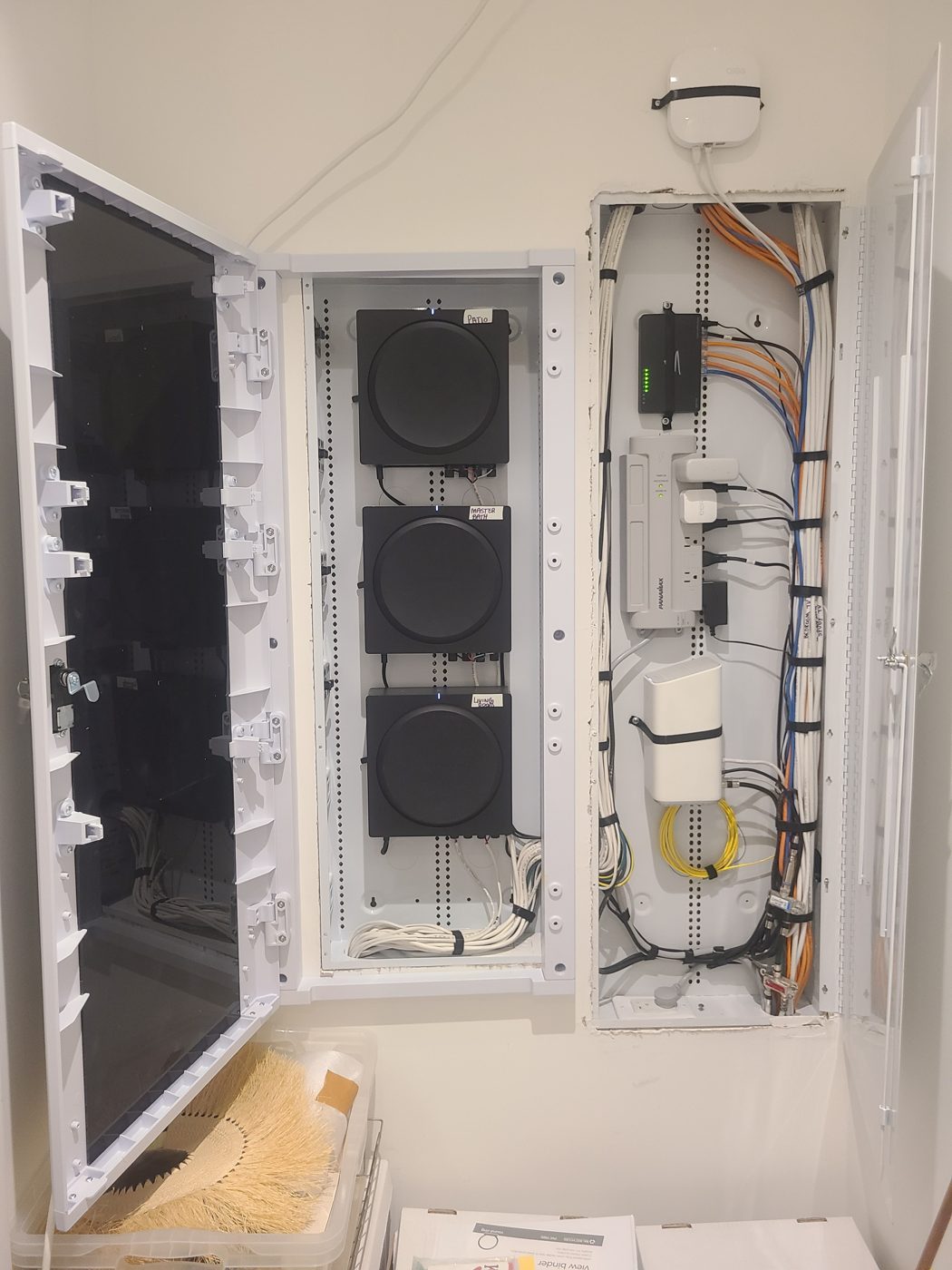
Why Houston clients love a well-designed network
Houston homes are made for living, and a lot of that living is spread out. There's the home office, the game room, the primary suite, the guest house, the patio and the pool. A good network reaches all of them, so your family and your guests get the same great connection wherever they sit.
Here's what that looks like day to day:
- Video calls from any room, so the home office isn't the only place you can work.
- Streaming in every room, from the media room to the kitchen to the backyard.
- A network that grows with you. Add a TV, a speaker or a new smart device next year, and the foundation is ready for it.
- Less boxes, less wires, easier to use. That's our whole approach, and the network is where it starts.
As I like to say, the network is the foundation for everything else in the house. Get it right, and everything you build on top of it gets better.
What Wi-Fi 7 brings to your home
The Wi-Fi Alliance describes Wi-Fi 7 as giving every connected device a dependable experience, even in busy places. Two of its features matter most in a home:
- Wider channels. Wi-Fi 7 has 320 MHz channels in the 6 GHz band, which the Wi-Fi Alliance says provide twice the throughput of Wi-Fi 6. I mean, it's a wider road for your data.
- Multi-Link Operation (MLO). Compatible devices can use more than one connection at once, which spreads the traffic out and boosts throughput and reliability.
Your newest phones, laptops and TVs get the full benefit of Wi-Fi 7. Your older devices still connect, and they still enjoy a better-designed network. So you can upgrade the network now and let your devices catch up on their own schedule.
The wire behind the Wi-Fi makes it fast
Here's the thing: the best Wi-Fi has a wire behind it. When each eero connects back to the main eero with an Ethernet cable, it doesn't have to use up wireless airtime to talk to the rest of the network. eero says that wired connections maximize your internet speeds and reduce wireless interference. That leaves the wireless side free for your phones, laptops, TVs and everything else.
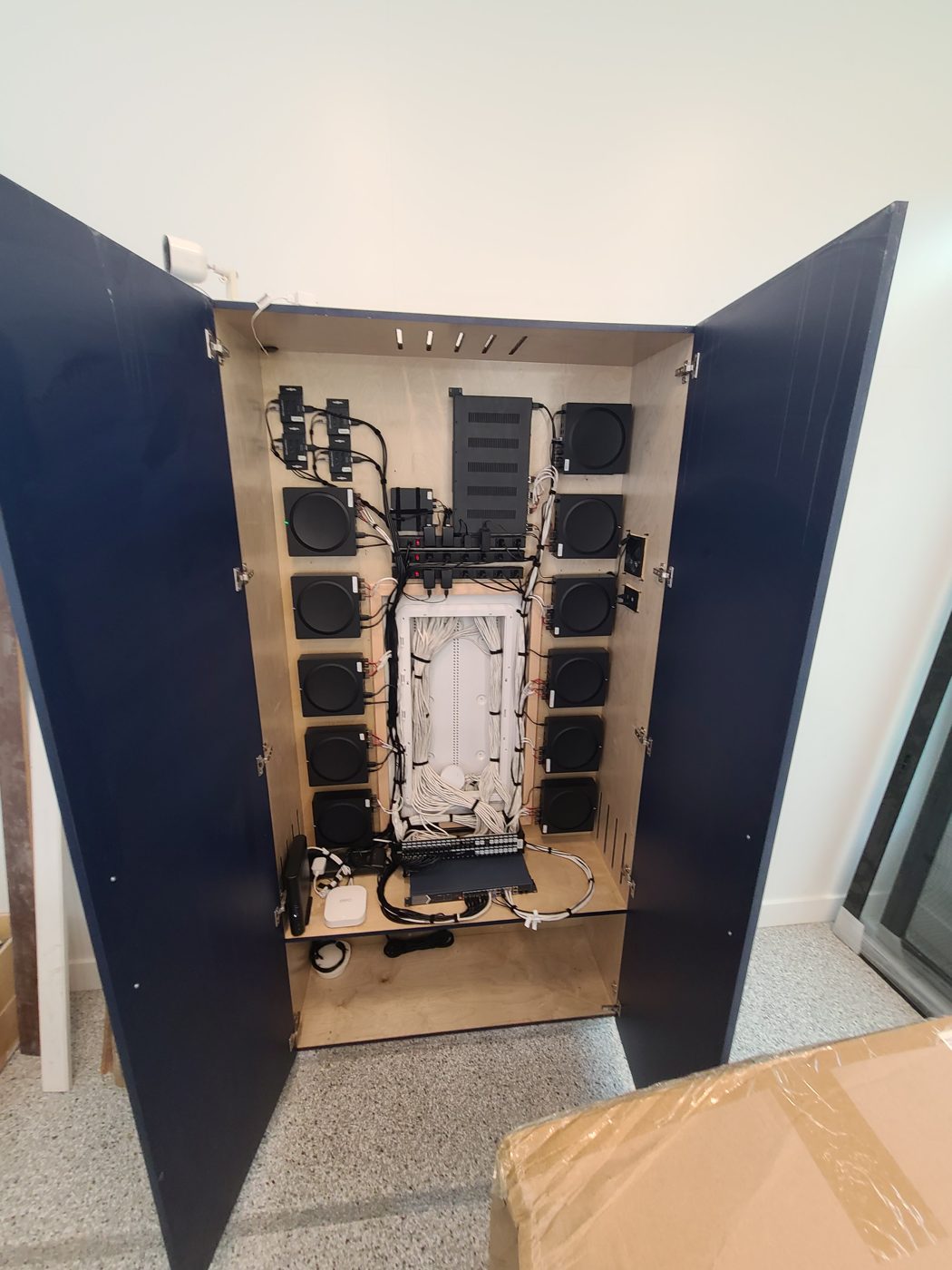
For new construction and major renovations, we run quality network cable to every spot an access point will live, before the drywall closes. That's the easiest time to do it, and it's why we like to be in the room early.
What a good wired plan includes
- Ethernet runs to ceiling or wall access-point locations on every floor, not only the main living areas
- Coverage for the garage, guest house, pool house and outdoor entertaining areas
- A properly sized switch, with power over Ethernet (PoE) so one cable can carry both data and power to each access point
- A network rack with room to grow
- A written network map, so any future technician can understand your setup
What about older homes?
Good news, y'all: you don't need to open walls to make a big improvement. In an existing home, we look at what cable is already in place, test the coverage room by room, and find where a wired access point can go discreetly. Where wiring isn't practical, a well-placed eero mesh can still be a big step up from a single router. You can read more in our post on why Wi-Fi is the foundation of your smart home and on our Wi-Fi installations page.
Matter and Thread in plain English
Matter is a shared language that helps smart-home devices from different brands work together. The Connectivity Standards Alliance released its latest version, Matter 1.6, in June 2026. It focuses on easier setup and on letting more than one ecosystem co-manage the same devices.
Thread is a low-power wireless mesh for things like thermostats and sensors. eero explains that Thread creates its own encrypted mesh network for these devices. A Thread border router is the piece that connects that little network to your regular Wi-Fi and Ethernet network. A Thread-capable eero does that job, so the router in your house becomes part of your smart-home system, not just your internet connection.
Where Matter fits
Matter is a fun way to add convenience. It's a nice way to bring in compatible sensors, plugs and switches and control them from more than one app. We keep the core of your home, the lighting, shades, audio and control, in a professionally designed system that handles scenes, schedules and whole-home logic. Matter devices can then add convenience at the edges. And as always, we don't sell more boxes than you need.
How your network ties the whole house together
Simplification is the new integration. When the network is right, the rest of your home plugs into it easily. Here's how it connects, one system at a time:
- Lutron lighting. We design with Lutron, and we're a Lutron Gold dealer. Lutron works with Alexa, and app and voice control like a strong connection. Which voice options you get depends on the Lutron system in your home, and we'll walk you through yours. See our lighting design service.
- Sonos audio. Sonos players connect over your home network. Sonos itself says that in a larger home, hardwiring with Ethernet may give you a more reliable experience, and a wire-first network plan gives us that option from day one.
- Samsung TVs. Samsung says its TVs from the Q60 up, released after 2022, include a built-in SmartThings Hub that supports Matter, Thread and Zigbee. So some Samsung TVs can be part of your smart home too. We'll check your exact model.
- Alexa. eero works with Alexa. eero's built-in smart home hub lets you control Thread, Zigbee and Matter devices with Alexa, and you can build Alexa Routines around them.
- Matter and Thread devices. Compatible Matter devices can join through Alexa and your eero network, and Thread devices connect through a Thread-capable eero.
Our go-to: eero Wi-Fi 7
eero is our go-to network brand, and honestly, the biggest reason is how easy it is to live with. eero's Wi-Fi 7 lineup includes eero 7, eero Pro 7, eero Max 7 and eero Outdoor 7. eero Max 7 is built for large coverage areas and busy smart homes, and eero says it works with all generations of eero. eero Outdoor 7 carries your Wi-Fi out to the patio and the backyard. Each of these supports Thread border routing, and eero 7, Pro 7 and Max 7 also work with Matter.
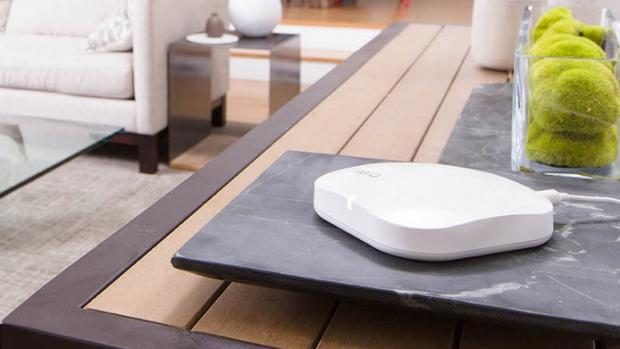
One more tip: if you ever have guests who ask for the Wi-Fi password, hand them the guest network. eero's guest network is kept separate from your main network, so your own devices stay private.
Houston homes live outside, too
A lot of the best Houston living happens on the patio, by the pool and around the outdoor kitchen. Homes in neighborhoods like River Oaks, Memorial and Tanglewood can include detached garages, pool houses and guest quarters, and we plan the network to reach them. For outdoor areas we use weather-rated equipment, so your Wi-Fi is as ready for a Houston summer as you are. Our guide to outdoor lighting for Houston homes shows how the lights, audio and network come together out there.
Why Digital Delight for your network
You can buy a router at a store, and plenty of folks do. Here's what a pro adds:
- Houston, since 1999. We're a Houston company, and we've been designing smart homes here for over 25 years.
- Certified. We're eero Certified, a Lutron Gold dealer and a Sonos dealer. We're also a CEDIA member with a BBB A+ rating.
- Design. We listen first. We walk your home, map where the access points go, and design the network along with your lighting, audio and TVs, so it all works together.
- Install. One company handles the cable, the rack and the setup, with clean wiring and a written network map when we're done.
- Support. We stick around after the install. See our service plans, our services page and our service areas page.
Your network planning checklist
- Count your devices, and note which ones matter most: streaming boxes, work laptops, game consoles, TVs and speakers.
- Plan for wire at every access-point location, even if you start with fewer access points.
- Choose equipment for the long run, with Wi-Fi 7 support, Thread and wired options.
- Use a guest network for visitors, so your own devices stay private.
- Let your system update itself. eero installs software updates automatically.
- Ask for documentation of your network, including a map of the access-point locations.
Frequently asked questions
Do I need Wi-Fi 7 for my Houston home?
It's a great choice for new equipment in a larger or device-heavy home. You'll see the most benefit when your devices support Wi-Fi 7 and your access points are wired back to the main router, and your older devices still enjoy the better network.
What is wired backhaul and why does it matter?
Wired backhaul means each access point connects to your router over an Ethernet cable instead of wirelessly. It frees up wireless capacity, improves consistency and is one of the best things you can do for a large home's network.
What is the difference between Matter and Thread?
Matter is the shared language that lets smart devices from different brands work together. Thread is a low-power wireless mesh that many Matter devices use to connect. Matter describes what devices say, and Thread is one of the ways they talk.
Does eero work with Matter and Thread?
Yes. eero 7, eero Pro 7 and eero Max 7 support Matter as a controller, and Thread-capable eeros act as Thread border routers. With Alexa, eero's smart home hub lets you control Matter, Thread and Zigbee devices.
Can you improve Wi-Fi in an existing home without opening walls?
Often, yes. We review the existing cabling, test coverage and add wired or wireless access points where they help most. The best approach depends on your home's construction and what's already installed.
Let's plan your network
Not sure where to start? That's what we're here for. If you don't know, find a home tech pro, and we'd love to be yours. Contact Digital Delight or call 713.283.8100. We'll walk your home, recommend a network design and explain every option in plain language.
Keep reading
Outdoor Lighting for Houston Homes: Landscape, Paths, Patios and Pools
How to plan outdoor lighting for a Houston home, from landscape and paths to patios and pools.
Smart Tech to Manage your Vacation/Rental Property Efficiently.
Practical upgrades for a vacation or rental property, including why a reliable Wi-Fi network matters for you and your guests.
Call 713.283.8100